Screen Assist
Ask the screen.Keep your place.
A region drawn around the phrase CAC payback inside a paragraph, with Attyn answering beside it that it is how long the revenue from a customer takes to pay back the cost of winning them.
Select the part you do not follow and ask about it right there. No screenshot, no upload, no explaining the context to a window that has never met you.
right commandtap, then circle it
Then and now
Four steps became one.
Asking about something on your screen used to cost all of this. None of it was ever the question itself.
What it used to take
- 01Take the screenshotCrop it, find where it saved, hope the part you needed is in frame.
- 02Open the other toolA new tab, a fresh conversation that knows nothing about you.
- 03Upload and explainAttach the image, then type the context the picture cannot carry.
- 04Carry the answer backRead it there, hold it in your head, return to find your place gone.
What it takes now
Select it. Ask it. That is the whole gesture.
What you can ask about
If you can see it, you can ask.
Screen Assist reads what is on the screen rather than what the application is willing to hand over, so the question does not have to be about text.
In the work
The answer arrives where the question did.
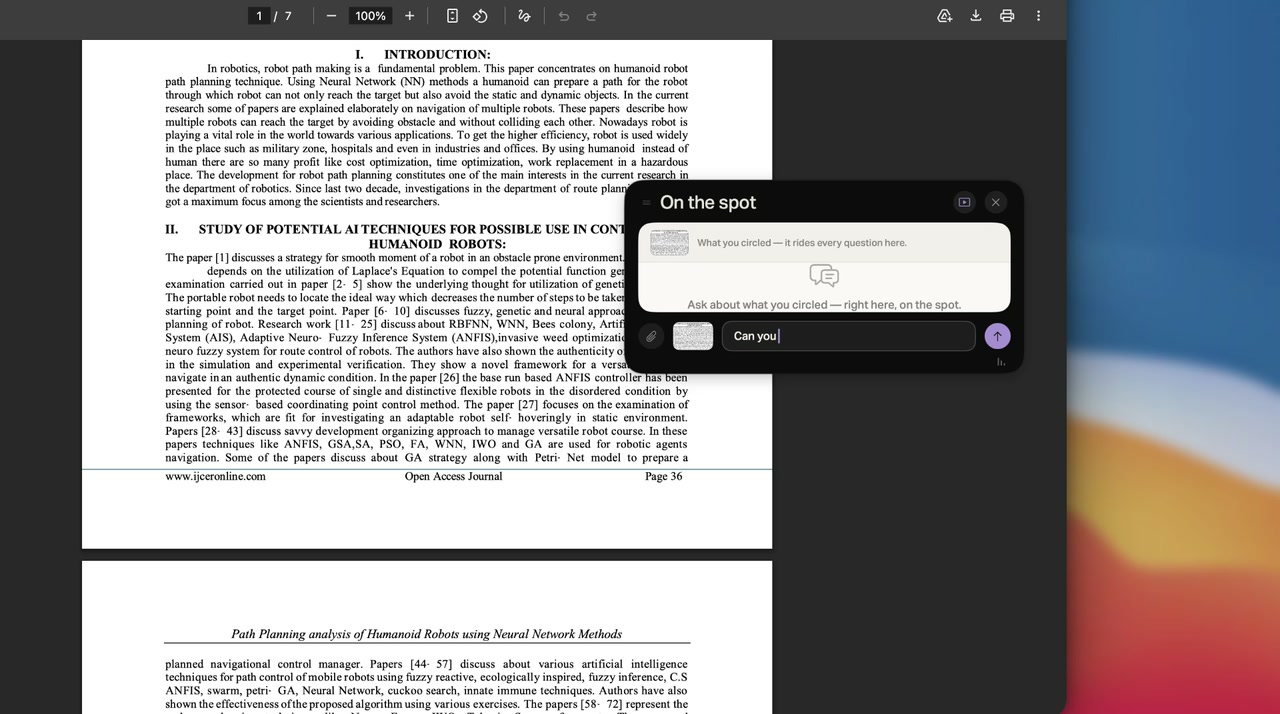
A dense paper, an acronym you do not know, and no trip anywhere to find out what it means.
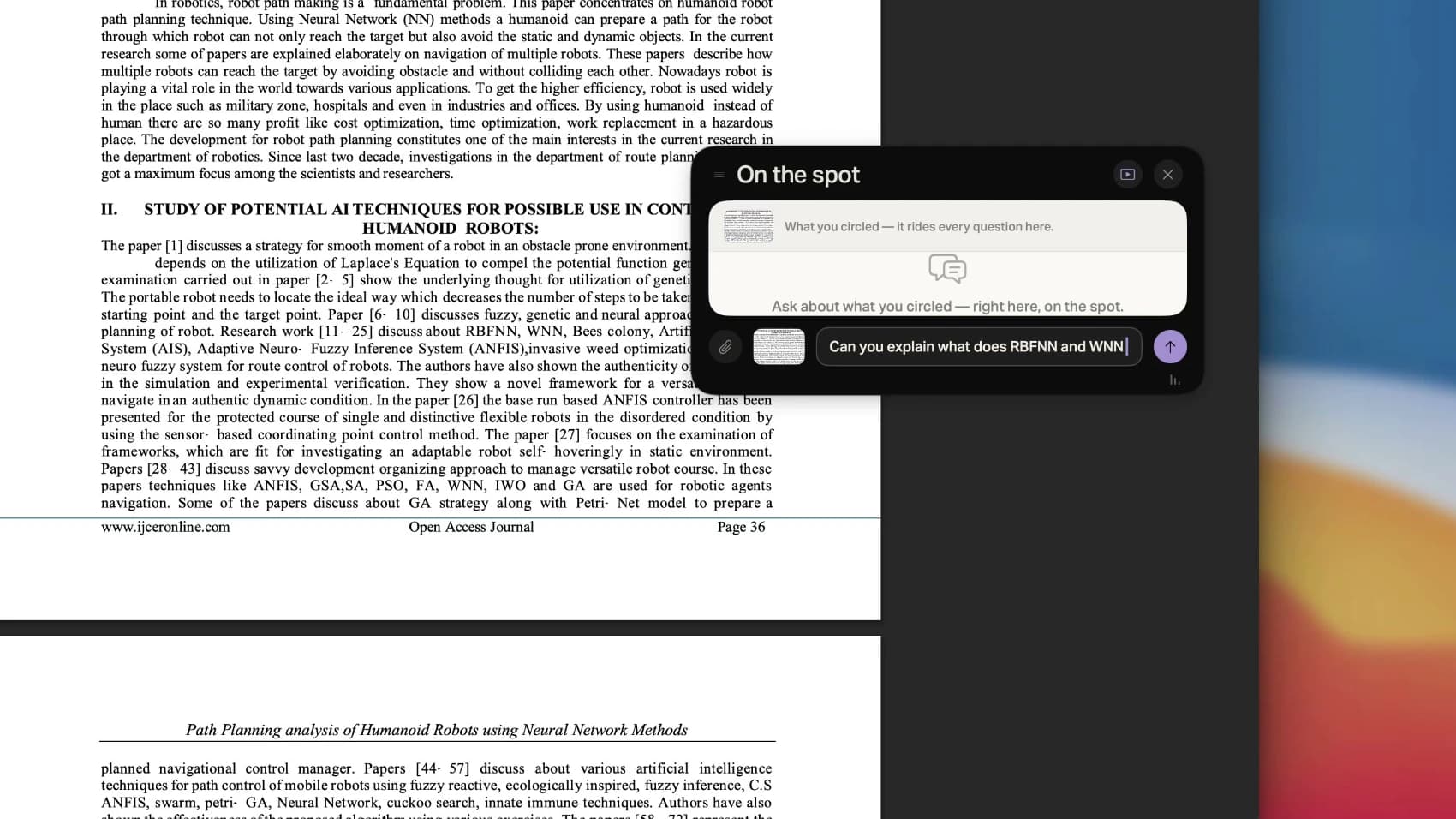
You askCircle the acronym and type the question, on top of the page you were reading.
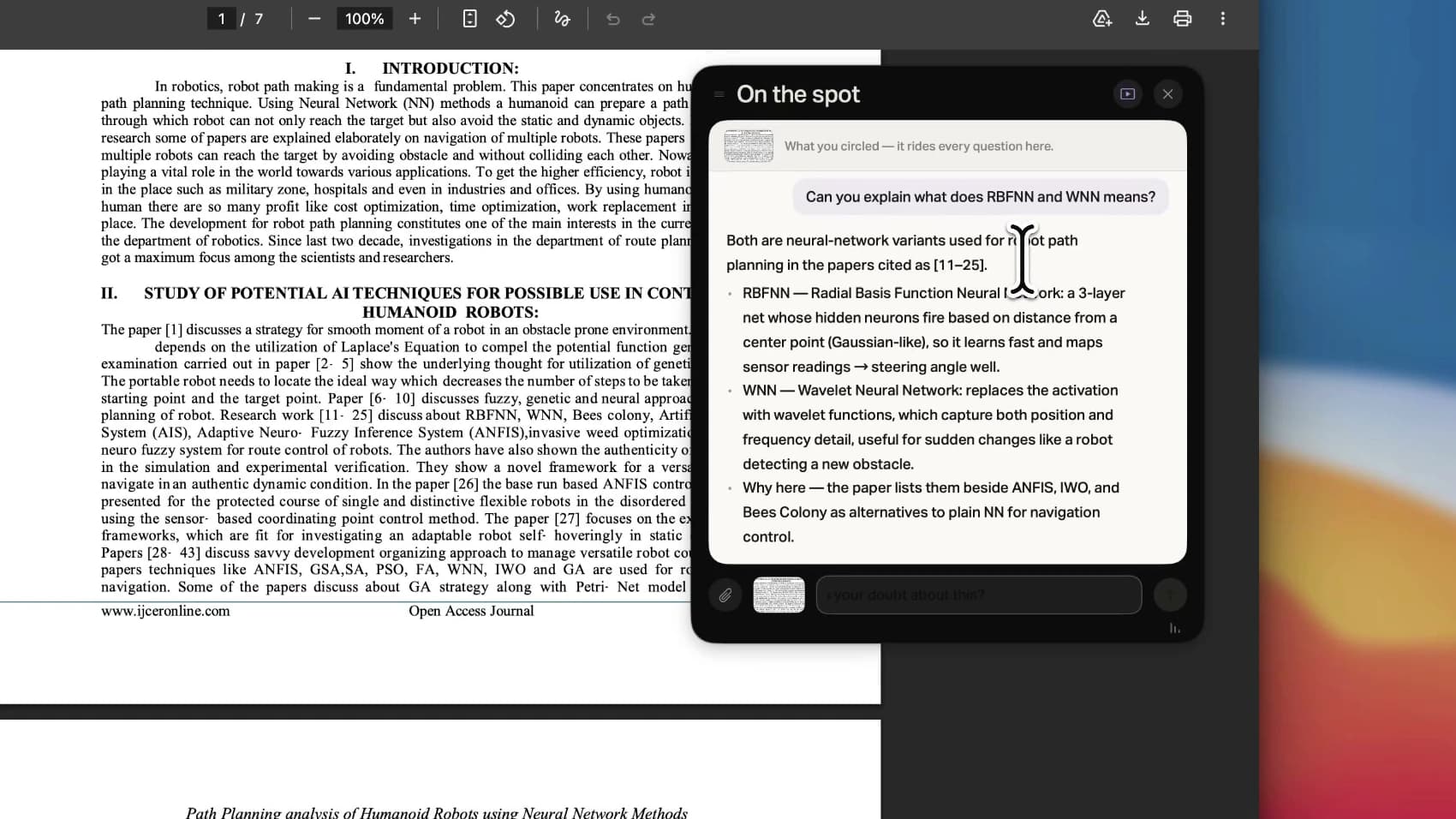
It answersThe answer arrives in the same card. The paper has not moved, and neither have you.
Questions
The things people ask first.
Is Attyn watching my screen all the time?
No. Nothing is captured until you press the key, and it happens only in that moment, for the question you asked. There is no background recording to find and switch off.
How do I start it?
Tap Right Command, circle the thing you are asking about, and type the question. Holding the same key instead of tapping it opens Blackboard, so one key covers both. If Right Command already means something on your Mac, you can move Screen Assist onto a different modifier.
What exactly gets sent?
The region you circled, a view of the full screen so the region has something to sit in, and a short list of the interface elements underneath it. Attyn reads the app that owns the window you circled rather than whatever happens to be in front, so a notification sliding past does not become the subject of your question.
Does it work on things I cannot select or copy?
Yes, and that is most of the point. A chart, a scanned PDF, a video frame, a dialog box, a stretch of an interface with no accessible text. Screen Assist reads what is on the screen rather than what the application is willing to hand over.
Where does the selection go?
To the intelligence you chose in your AI source settings, which is the same choice every other Attyn surface uses. That means you decide which provider sees it, and you can bring your own key so the request runs on your own account.
How is this different from taking a screenshot and pasting it into a chatbot?
It removes the trip. There is no file to save, nothing to upload, and no context to retype, because Attyn already knows which profile you are working in. The answer also arrives beside the work instead of in another window, so you do not lose your place to go and read it.
Which plan includes it?
Screen Assist comes with Rent Attyn, $10 a month for all four features with 4,000 credits arriving every month. Realtime Dictation is free with every signed-in account. Owning Attyn outright is a single $100 payment and includes everything.
Get Attyn
Stop screenshotting your own screen to ask about it.
Select the part you do not follow, ask, and carry on reading.
macOS, iOS, and Android today. Apple silicon. M1 and every M-series chip after it. Windows coming soon.